
Why Your Google Ads Generate Clicks but Not Customers
The dashboard looks fine. Clicks are up, the click through rate beats last month, and the budget is being spent exactly as planned.
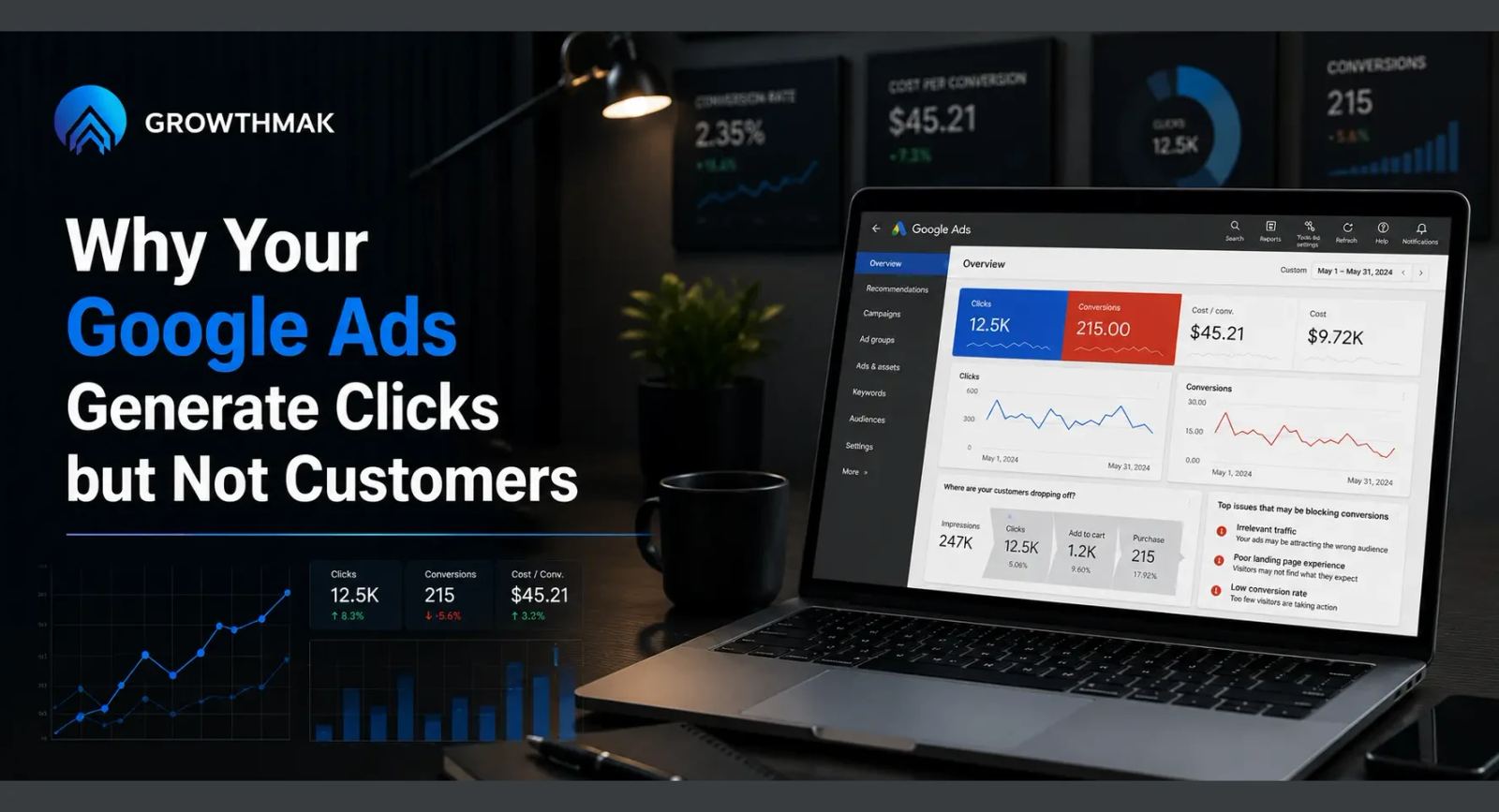
The dashboard looks fine. Clicks are up, the click through rate beats last month, and the budget is being spent exactly as planned.
Sales says something different. The leads coming in aren't converting, or worse, they aren't coming in at all despite all that traffic.
Nobody on the team can point to a single setting that changed. The budget is the same, the ads look the same, yet fewer of those clicks ever turn into a real conversation.
That gap is a Google Ads management problem, not a platform problem. Something between the click and the customer is quietly breaking, and it usually isn't inside the ad account at all.
Here is where that gap usually lives:
- Keywords that attract clicks without matching real buying intent
- A landing page that breaks the promise the ad just made
- Conversion tracking counting the wrong things as a win
- Campaigns optimized for volume instead of lead quality
Why Do Google Ads Get Clicks but Not Customers
Most of the time, Google Ads generate clicks but not customers because the campaign is being judged on the wrong metric, or the landing page behind the ad was never built to convert. Clicks measure interest. They say nothing about whether the visitor found what the ad promised once they arrived, or whether the form they filled out even reaches the right person. The six reasons below cover keyword intent, landing pages, tracking, and bidding strategy, in the order they usually show up during a Google Ads audit.
Where Google Ads Management Breaks Down Between Click and Customer
A click only confirms that the ad copy and the keyword were interesting enough to interrupt someone's search. It says nothing about whether that person was ready to buy, or whether they were even the right buyer for the offer behind the pay per click.
Most of the real breakdown happens outside the ad account entirely, on the landing page, in the tracking setup, or in how leads get followed up once they arrive.
Good Google Ads optimization inside the platform cannot fix a landing page problem sitting outside it. Bidding smarter on the wrong destination just wastes the budget more efficiently.
That is why campaigns can hit every internal benchmark, healthy click through rate, reasonable cost per click, full budget spend, while the business behind them sees no change in actual revenue.
Treating Google Ads management as a set-and-forget task once the campaigns launch is usually where this starts. The account keeps spending, and nobody revisits whether the destination still matches the offer.
Fixing this rarely means abandoning the platform or the agency running it. It usually means widening what counts as part of the account review, past the bid settings and into the page the money actually lands on.
The businesses that catch this fastest are the ones who review the landing page and the ad account together, on the same schedule, instead of treating them as two separate projects owned by two separate people.
6 Reasons Your Google Ads Aren't Converting
These are the six most common reasons, roughly in the order they show up during a real account review.
1. Your Keywords Don't Match Buyer Intent
Broad keywords attract browsers, researchers, and people looking for something adjacent to the offer, not necessarily people ready to buy it today.
Search intent has to match what the page actually offers. A keyword that pulls in comparison shoppers needs a different page, and a different message, than one that pulls in someone ready to buy now.
- Review search terms monthly for queries that don't match the offer
- Separate research-stage keywords from ready-to-buy keywords into different campaigns
- Cut keywords that generate clicks but never generate a qualified lead
A search term report from the last ninety days usually settles this quickly. Queries that sound curious rather than decisive are worth trimming even if their click through rate looks fine.
This matters more than it looks on a spreadsheet. A campaign spending the same daily budget on higher-intent keywords, even at a higher cost per click, usually produces more paying customers than one spread thin across broad, cheaper terms.
2. Your Ad Promises Something the Landing Page Doesn't Deliver
When the ad promises a specific price, feature, or offer and the landing page shows something more general, the visitor feels the mismatch immediately and leaves.
| Ad Promise | Common Landing Page Reality | Effect on the Visitor |
|---|---|---|
| Specific price or discount | General pricing page with no mention of the offer | Visitor assumes the ad was misleading |
| Named product or service | Homepage covering the entire catalog | Visitor has to search for what the ad promised |
| Fast quote or response | Long form with no timeline stated | Visitor doubts the promise and abandons the form |
The right page for a given ad depends on how specific the promise was. A narrow, specific promise needs an equally narrow page, not a broad one trying to cover several offers at once.
Every ad group deserves its own page that mirrors the exact promise made in that specific ad, not a shared page trying to serve every campaign at once.
This takes more setup work than pointing every campaign at one flexible page, but it consistently protects the value of a click that already cost real money to earn, campaign after campaign, month after month.
- Read your own ad copy, then load the landing page as a stranger would
- Check whether the specific offer named in the ad appears on the page
- Match the headline on the page to the headline in the ad
3. Your Landing Page Was Built to Load, Not to Convert
Plenty of landing pages are really just a template page repurposed for ads. They load fine and look acceptable, but nothing on them was built around getting a visitor to act.
A page like that usually needs help from a dedicated website development agency rather than another round of ad copy testing. The best headline on the internet still can't save a page with no clear call to action.
This is a landing page optimization gap more than an advertising gap. Ad copy earns the click. The page earns the customer.
A page built specifically for one offer, with nothing to distract from the single action it wants, converts a noticeably higher share of the same paid traffic than a repurposed template ever will.
4. Your Conversion Tracking Is Wrong
Broken or inflated conversion tracking is one of the quietest ways to waste a Google Ads budget, because everything downstream optimizes toward a signal that doesn't reflect real business results.
Google Ads optimizes toward whatever gets counted as a conversion, whether that is a real purchase or someone accidentally clicking a phone number twice.
- Confirm every tracked conversion action matches a real business outcome
- Check for duplicate tracking firing on the same action
- Recheck tracking any time the website, form, or checkout changes
A quick way to check is comparing the number of tracked conversions against the number of leads sales actually received in the same period. A large gap usually points straight at tracking.
5. Your Campaigns Optimize for Clicks, Not Cost Per Lead
Bidding strategies built around clicks or impressions reward raw volume, which looks productive on a dashboard but says nothing about lead quality.
Cost per lead reflects what the business actually cares about, since it ties spend directly to the outcome that matters, not to an interim metric like a click or an impression.
Shift bidding strategy toward a lead or value-based goal only after conversion tracking has been confirmed accurate. Optimizing toward a broken signal just wastes budget faster.
- Confirm tracking accuracy before changing any bidding strategy
- Set a target cost per lead based on your own close rate, not a guess
- Review bid changes weekly rather than letting automation run untouched for months
A campaign that lowers cost per click while raising cost per lead is not actually improving. Judge every bidding change against the metric the business gets paid on, not the one the platform highlights by default.
6. Nobody Has Run a Real Google Ads Audit in Months
Campaigns drift. Search terms shift, competitors change their bids, and a setup that worked well six months ago quietly stops matching how people search today.
A proper Google Ads audit catches wasted spend on stale keywords, mismatched pages, and broken tracking before those add up into a much larger problem.
Set a recurring audit on the calendar, quarterly at minimum, rather than waiting for a bad month to trigger a review that should have happened already.
- Put a recurring audit on the calendar rather than relying on memory
- Review search terms, tracking, and landing pages in the same pass
- Rank findings by wasted spend so the biggest leak gets fixed first
The businesses that avoid this problem entirely are the ones who treat the audit as a standing calendar item, not as something that only happens after someone finally notices the budget isn't producing the results it used to.
What Clicks, CTR, and Cost Per Lead Actually Tell You
Each metric answers a different question, and none of them alone tells the whole story about whether search engine marketing spend is actually working.
| Metric | What It Actually Tells You | What It Misses |
|---|---|---|
| Clicks | How many people found the ad interesting enough to click | Whether they were the right buyer at all |
| Click through rate | How compelling the ad is compared to the impression it got | Whether the landing page delivered on the promise |
| Conversion rate | How well the landing page turns visitors into leads | Whether those leads actually become paying customers |
| Cost per lead | What each qualified lead actually cost to generate | Nothing, when tracking is accurate, which is why it matters most |
Pulling all four into one view, alongside basic web analytics for the landing page itself, usually reveals exactly where the gap between click and customer sits.
No single number in that table tells the full story on its own. A campaign that only looks at cost per lead can still miss a keyword problem sitting one step upstream.
Good Google Ads management means checking all four together on a regular schedule, rather than picking whichever metric happens to look best in a given month and reporting on that one alone.
What a Google Ads Audit Won't Fix
An audit cannot fix a product with no real demand behind it. If nobody wants what's being advertised, no amount of keyword or landing page work changes that.
It also cannot rescue a sales process with no follow-up. A perfectly optimized campaign that generates a lead nobody calls back still produces no customers.
It cannot fix a price the market has already rejected either. If competitors offer the same outcome for less, and the difference isn't justified anywhere on the page, no amount of Google Ads management changes that math.
An audit removes waste and sharpens targeting. It does not manufacture buyers who were never in the market to begin with.
Final Thoughts
When clicks look healthy but customers don't follow, the gap usually sits outside the ad account, in the landing page, the tracking, or the follow-up process.
That verdict flips when the keywords themselves are pulling in the wrong audience. In that case, the targeting deserves the first look before anything downstream.
Audit tracking accuracy before changing a single bid. Optimizing a campaign against the wrong signal only wastes the budget more efficiently.
Treat Google Ads management as an ongoing review of the whole path, not just the settings inside the platform. The account is only half of what decides whether a click becomes a customer.
Ready to Turn Clicks Into Customers? Explore Growthmak
Growthmak works with businesses whose ad accounts look healthy on paper but whose landing pages were never built to close the deal the ad started.
If your page needs a rebuild around the offer instead of another round of ad tweaks, Growthmak's website development team can start with a conversion audit alongside your Google Ads review.
Book a 30-minute growth call with Growthmak or get a growth audit for your website to find the gaps affecting your landing page conversions.
Frequently Asked Questions
Google Ads often generate clicks without sales when keywords attract the wrong audience, landing pages fail to match ad expectations, or conversion tracking is inaccurate. Review search intent, landing page experience, and your sales process to identify where potential customers are dropping off.
Successful Google Ads management is measured by qualified leads, conversions, and return on investment rather than clicks alone. Compare cost per lead, lead quality, and conversion rates over time while ensuring conversion tracking accurately reflects genuine business outcomes.
A Google Ads audit reviews keyword relevance, search terms, conversion tracking, bidding strategy, ad copy, landing pages, audience targeting, and budget allocation. The goal is to identify wasted spend, improve campaign performance, and prioritize the highest-impact optimization opportunities.
Start by confirming every tracked conversion represents a valuable business action, such as a purchase or qualified lead. Remove duplicate tracking, fix broken tags, and regularly test tracking after website updates to ensure campaign data remains accurate and reliable.
A good cost per lead depends on your industry, product value, competition, and sales cycle. Instead of comparing with generic benchmarks, monitor your own historical performance alongside lead quality and conversion rates to determine whether advertising costs remain profitable.
Both are essential, but landing page optimization often has a greater impact because it determines whether visitors convert after clicking. Strong ad copy attracts attention, while a relevant, trustworthy, and user-friendly landing page turns that interest into qualified leads or sales.
Review search terms, budgets, and campaign performance every week to prevent unnecessary spending. Evaluate landing pages and conversion tracking monthly, then complete a comprehensive Google Ads audit every quarter to uncover deeper optimization opportunities and maintain consistent campaign performance.
The right choice depends on your budget, campaign complexity, and available expertise. In-house management works well with dedicated resources, while professional PPC management provides ongoing optimization, strategic guidance, and consistent monitoring when internal time or experience is limited.
Simple improvements, such as fixing conversion tracking or removing irrelevant keywords, can show results within days. Landing page and bidding strategy optimizations usually require several weeks of consistent traffic before reliable performance improvements become measurable and sustainable.
Written by Growthmak Team · B2B Growth Specialists
All blogs